Pangenome output graphs
The pangenome graph can be given through the .gexf and through the _light.gexf files. The _light.gexf file will contain the gene families as nodes and the edges between gene families describing their relationship, and the .gexf file will contain the same things but also include more details about each gene and each relation between gene families.
We have made two different files representing the same graph because, while the non-light file is exhaustive, it can be very heavy to manipulate and most of its content is not of interest to everyone. The _light.gexf file should be the one you use to manipulate the pangenome graph most of the time.
To manipulate and visualize these files, we recommend using Gephi or some other program able to read gexf files like networkx or gexf-js among others. Gephi also has a web version that can open small pangenome graphs, gephi-lite.
Using Gephi, the layout can be tuned as illustrated below:
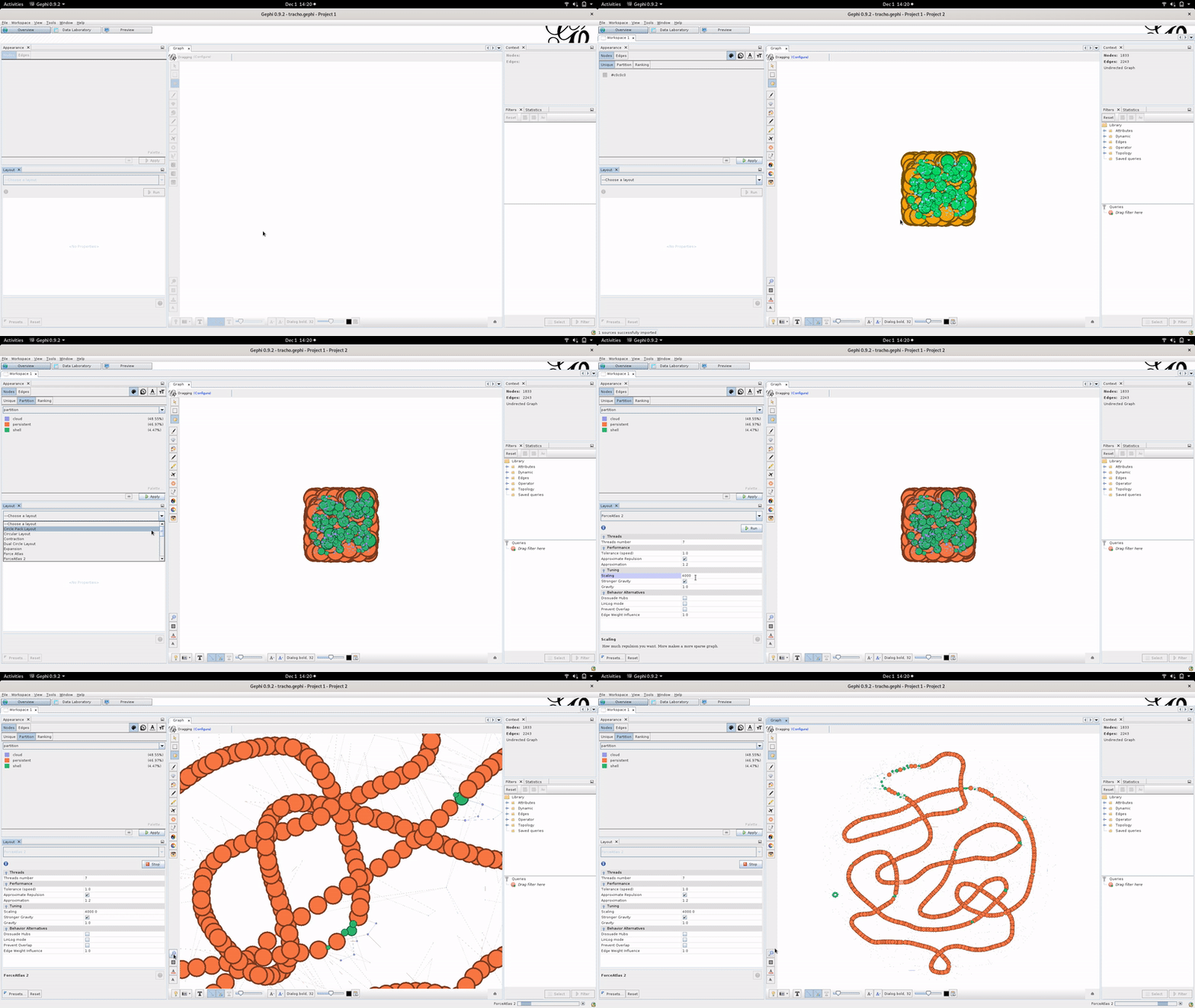
We advise the Gephi “Force Atlas 2” algorithm to compute the graph layout with “Stronger Gravity: on” and “scaling: 4000” but don’t hesitate to tinker with the layout parameters.
In the _light.gexf file : The nodes will contain the number of genes belonging to the gene family, the most common gene name (if you provided annotations), the most common product name (if you provided annotations in your GFF or GBFF input files), the partitions it belongs to, its average and median size in nucleotides, and the number of genomes that have this gene family. If spots or modules are computed, it also indicates if a node belongs to them. Finally, this file also outputs the imported metadata regarding each gene family.
The edges are weighted based on how often the pair of gene families they connect were co-located within the pangenome.
The .gexf non-light file will contain in addition to this all the information about genes belonging to each gene family, their names, their product string, their sizes and all the information about the neighborhood relationships of each pair of genes described through the edges.
The light gexf can be generated using the write_pangenome subcommand as such :
ppanggolin write_pangenome -p pangenome.h5 -o output_dir --light_gexf
while the gexf file can be generated as such :
ppanggolin write_pangenome -p pangenome.h5 -o output_dir --gexf
JSON
The json’s file content corresponds to the .gexf file content, but in json rather than gexf file format. It follows the ‘node-link’ format as shown in this example in javascript, or as used in the networkx python library and it should be usable with both D3js and networkx, or any other software or library that supports this format.
The json can be generated using the write_pangenome subcommand as such :
ppanggolin write_pangenome -p pangenome.h5 -o output_dir --json